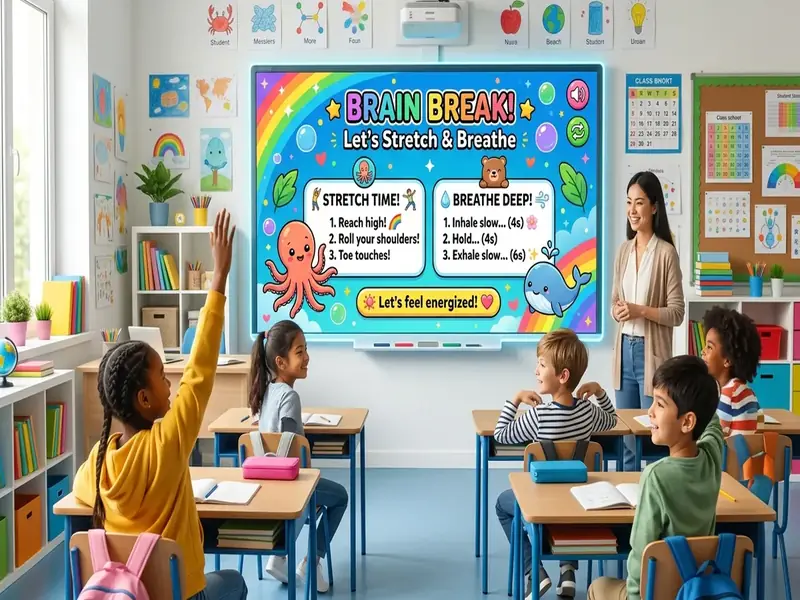
No-prep brain breaks are short resets you can start in seconds, without printing, planning, or hunting for a video. When attention drops in the middle of a lesson, a two- or three-minute change of activity can help students return ready to work. Putting the break on the projector makes it even faster, because the timer, the prompt, and the game are already on the board.
This guide explains why brain breaks help, offers twelve screen-based ideas grouped by type, and shows how to bring the class back to work smoothly. Every idea uses tools on the free classroom screen.
Why use screen-based brain breaks?
A brain break works best when it starts quickly and ends on time. A projected board helps with both.
- No setup. The dice, games, and timer are one click away.
- Clear limits. A visible countdown tells everyone exactly when the break ends.
- Shared focus. The whole class looks at one screen, so the break feels like a group activity.
- Easy to repeat. Students learn the routine and can start the break themselves.
When to take a brain break
Judy Willis, a neurologist and former teacher, explains in her Edutopia article on using brain breaks to restore focus that breaks should come before fatigue and distraction set in. As a general rule, she suggests a three- to five-minute break after 10 to 15 minutes of concentrated study for elementary students and after 20 to 30 minutes for middle and high school students.
Watch for signs such as fidgeting, glazed looks, and rising side conversations. If you see them, a break is probably overdue.
Quick on-screen games (2 to 4 minutes)
These games are built into the board and need no preparation.
1. Simon
Students watch a sequence of colors, then call out or act out the pattern. It builds attention and takes about a minute per round.
2. Memory match
Flip cards as a class to find pairs. Call on students with the name picker to choose each card.
3. Rock paper scissors against the board
The whole class plays against the board at once. Students show their choice with their hands, and the board reveals its pick.
4. A Wordle-style puzzle
Set a five-letter word, possibly from today's lesson, and let the class guess together. It works as a break and a quiet review.
5. Tic-tac-toe or Connect Four in teams
Split the room into two teams. Each team discusses its move for a few seconds before a representative taps the board.
The classroom games page explains how each game works on a projector.
Movement and stretching resets (2 to 3 minutes)
Movement breaks are especially helpful after long periods of sitting.
6. Dice fitness
Roll the dice and do that many jumping jacks, arm circles, or squats. Roll again for the next exercise. The dice roller supports up to four dice for bigger numbers.
7. Wheel of moves
Load the wheel spinner with movements such as "reach for the ceiling," "march in place," or "balance on one foot." Spin for each round.
8. Dance party
The Dance Party template sets a three-minute countdown and prompts students to dance in their own space. Play music from a separate tab or speaker.
9. Red light, green light
The traffic light makes a classic game work indoors. Students walk in place on green, slow down on yellow, and freeze on red. The Red Light Green Light template in the templates library is ready to go. In October, try a seasonal version of these resets with these classroom Halloween activities.
Calm resets (1 to 3 minutes)
Not every break should raise energy. After recess or before a test, a calm reset may work better. A slow nature scene from our classroom screensaver ideas can also help the room settle after recess.
10. Breathing with a timer
Set a one-minute timer and lead slow breaths: in for four counts, out for four counts. Use the visual bar so students can watch time pass.
11. Quiet drawing
Open the drawing board with a simple prompt, such as "Draw your favorite animal in one minute." One student sketches on the board while the others draw on scrap paper.
12. This or that
Show two options, such as "beach or mountains," and let students move to one side of the room or simply raise hands. It is quick, light, and encourages conversation.
Need a longer break on a rainy day? Try these indoor recess ideas.
Build a saved brain break board
Keep a separate board just for breaks so you can switch to it instantly.
- Open a new board and add a large timer set to three minutes.
- Add the dice, the wheel spinner loaded with movements, and one game such as Simon.
- Add a text widget with the return instruction, such as "Timer ends: sit, notebook open."
- Choose a bright background so students recognize break mode at a glance.
- Save it with Save Board on this device and name it "Brain break."
When attention dips, open the saved board, start the timer, and pick an activity.
Best practices for a smooth return
The break is only successful if students can refocus afterward.
- Announce the end in advance. "When the timer ends, we sit down and open our notebooks."
- Keep the timer visible for the whole break.
- Use a closing signal, such as the attention signal chime, when time is up.
- Give a calm task first, such as a single question to answer in writing, before returning to intense work.
- Switch the board back to the lesson layout right away.
For example, a teacher could leave a text widget ready with the next task so the board changes from break mode to work mode with one click.
Adapting brain breaks for different students
- Students with mobility needs: offer seated versions of every movement, such as arm circles or seated marching.
- Students who get overexcited: use calm resets more often and keep high-energy breaks short.
- Older students: choose games with a challenge, such as a word puzzle or team trivia, rather than childlike movement.
- Students who need extra movement: give them a job during the break, such as leading the stretches.
The science behind no-prep brain breaks
Willis explains that a brain break works by switching students to a different kind of activity, giving the brain networks used for focused learning a chance to recover. The break does not have to involve physical exercise, though movement is a common choice. What matters is the change of activity and the return to focus afterward.
The CDC's page on classroom physical activity notes that activity breaks in the classroom can help students concentrate and stay on task, and can reduce fidgeting and other disruptive behavior.
For more game ideas that double as review, see our guide to classroom games on screen.
For November, try these Thanksgiving brain breaks on a wheel.
For seasonal movement, try our fall-themed brain breaks.
For seasonal versions, see our December brain breaks and winter ideas.