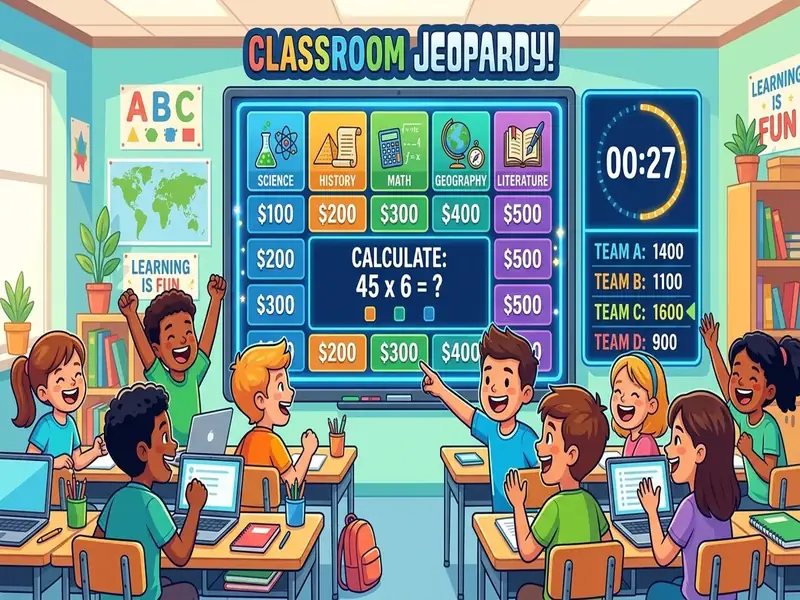
The classroom games that survive a busy week are the ones already on the projector when you need them. You should not have to hunt for a tab, wait for thirty devices to log in, or rebuild a slide deck every Friday. A category grid, a secret word, or a five-letter puzzle on one shared screen is enough to turn review into a whole-class conversation.
This guide covers how to run Jeopardy, Hangman, and a Wordle-style puzzle as teacher-led games, which other review games deserve a spot, and how to keep games tied to learning. Everything here runs on the free classroom screen, where the games sit next to your timer and scoreboard. Students watch and respond; nobody needs an account.
Why projected games beat another student app
Student-device games have their place, but they make poor warm-ups. The first five minutes disappear into forgotten passwords, dead batteries, and wrong links. A projected game has one operator, you, and it starts the moment the class looks up.
Shared visibility is also good teaching. Review works best when everyone thinks about the same clue at the same time. If half the room is on question three and the rest are still loading, you are managing devices rather than reviewing content.
There is a quieter benefit too. When games live on the same board as your agenda and timer, students learn that the projector is a place for the day's work, including the fun parts. A random games website teaches them that the screen is entertainment.
Game-based review is well documented by teachers. Edutopia's article on game-based review sessions describes how games that require students to explain, draw, or act out ideas push them to process content more deeply.
Jeopardy review without a fragile slide deck
When teachers say they want Jeopardy, they usually mean a structure: categories, point values, a clue, a pause to think, and a reveal. They want teams that groan when they miss and cheer when they remember.
The version that breaks is the huge slide deck with hyperlinks that stop working after one edit. The version that lasts is a widget you can update in a few minutes. The Jeopardy game on MyClassScreen gives you a category grid with point values; click a clue, let teams discuss, then reveal the answer.
How to run it well
- Write clues from what you taught. Students can tell when a deck was borrowed. The game is retrieval practice, so the clues need to match your unit.
- Let teams confer before answering. Give a short think window, then take one answer per team.
- Choose the speaker fairly. Use the name picker to select who answers for the team so the same confident student does not carry every round.
- Time each clue. A thirty-second timer per clue keeps the pace up and stops debates from swallowing the period.
- Keep score visibly. Put the scoreboard below the grid so every team can see the totals.
- Stop while they still want more. Ending on energy makes the next review session easier to start.
Hangman as a short spelling and vocabulary check
Hangman is easy to run badly: a random word, a long drawing, and ten minutes of guessing common letters. The useful version is short and tied to content, with a secret word from this week's list, such as a science term or a vocabulary word you expect students to spell correctly.
Set the word before class, or blank the screen for a moment while you type it. Take letter guesses from the room, and use the name picker so volunteers do not dominate. Table teams can also confer and send one guess at a time.
Keep it to one word as a bell-ringer, two if the class is quick. After the reveal, spend thirty seconds on meaning and usage, not on the drawing. That short discussion is what makes Hangman a learning activity instead of a filler.
Some schools and families find the traditional Hangman image uncomfortable. If your community has raised that concern, use a word scramble or the spelling bee game for the same practice.
A classroom Wordle for shared reasoning
The Wordle format taught millions of people to reason about letters and positions. The classroom version keeps the green and yellow feedback but puts you in charge of the secret word. That is the whole advantage: you choose a word that fits your lesson.
Pick a five-letter word from your unit, a high-frequency word for younger readers, or a word that follows a spelling pattern you are teaching. Project the puzzle, take class guesses, and ask students to explain their reasoning before you enter each guess.
Keep phones away. Thirty private puzzles means no shared discussion. When the puzzle is public, strategies become something students can hear, question, and learn from. Quiet students can still contribute by writing a guess on a mini whiteboard and holding it up.
One puzzle is enough for a warm-up. If the class solves it in two guesses, choose a harder word tomorrow.
Other review games on the same board
Jeopardy, Hangman, and Wordle get the most searches, but they are not the whole collection. The classroom games hub lists the full set. A few that are especially useful for review:
- Trivia: add your own question and answer pairs, show a question, then reveal.
- Classroom Quiz: teacher-led multiple choice with a reveal step.
- Bingo: call numbers and mark the card together.
- Word Scramble and Spelling Bee: quick vocabulary and spelling practice.
- Crossword and Word Search: puzzles built from your own word list.
Arcade-style games such as Snake, Tetris, Breakout, and Connect Four are great for indoor recess or the last few minutes of a long day. They are brain breaks, not review, and it helps to label them honestly. Run them with a timer and end the game when it reaches zero, even if someone is about to win.
Tools such as dice, flashcards, and the wheel spinner sit between games and management. A wheel that picks a review category is a game move. A wheel that picks who answers is a name picker with a different look. Both are fine; just be clear which job you want it to do.
Three ready-made game layouts
You do not need a new board for every game. These three layouts cover most weeks.
Unit review block
Jeopardy or Trivia in the center, the scoreboard below, and a thirty-second clue timer in the corner. Use clues from the current unit only and stop with a few clues still unanswered.
Literacy warm-up
Wordle or Hangman beside a text box with this week's word list. Allow thirty seconds for meaning after each solve. Phones stay in bags.
End-of-day brain break
One arcade game and a three- to five-minute timer. When the timer ends, the game ends and the board returns to your dismissal routine. For a seasonal party block, see these classroom Halloween activities.
Save layouts so game day is not a rebuild
A game you rebuild from a blank screen every Friday will eventually lose to a worksheet. Save each layout once with Save Board on this device and reopen it in seconds. If the shape of your period is predictable, start from a ready-made layout in the template library, such as Game Day or Quiz Time, then swap in your own content.
You do not need a separate games-only board if your usual board already has an agenda and a timer. Add the game widget for ten minutes and remove it afterward. Fewer widgets on the screen means larger text and an easier return to the lesson.
A simple way to run a games block
- Open the saved board before the bell.
- Set a timer for the game itself, not "until they get bored."
- State the learning goal in one sentence, such as "We are practicing unit vocabulary."
- Run one main game rather than three stacked back to back.
- Finish with the reveal, a quick summary of what students remembered, and a return to the agenda.
That final step matters. When every game ends back on the agenda, students learn that play and learning share the same space.
Keep games fair and inclusive
Competition motivates some students and shuts others down. A few habits keep games welcoming for everyone.
- Play in teams, not as individuals. Teams let students who are still learning the content contribute ideas without carrying the full weight of an answer.
- Build in think time. Pause before taking answers so fast processors do not win every clue.
- Offer more than one way to answer. Mini whiteboards, hand signals, or a written team answer give quieter students a voice.
- Mix easy and hard clues. Include lower point values that most students can answer, so every team scores something.
- Reset teams regularly. Use the group maker to form new teams each game day so the same strong group does not dominate all year.
What to skip
- Game portals for students. Sites built for browsing games invite off-task clicking.
- Class codes for a two-minute game. If Hangman needs thirty logins, it costs more time than it saves.
- Locked downloads you cannot edit. A review game that you cannot update in May will not get used in May.
- Crowded screens. If the clue text is tiny because six other widgets are open, close some.
- Late-night deck building. A widget you can update in two minutes keeps game day realistic all year.
For more ideas that make students recall information rather than just recognize it, Edutopia's list of quick retrieval practices pairs well with these games.
Projected games also work for indoor recess; see our full plan for rainy days.
Need a themed day that still uses math and movement? See our 100th day of school activities.