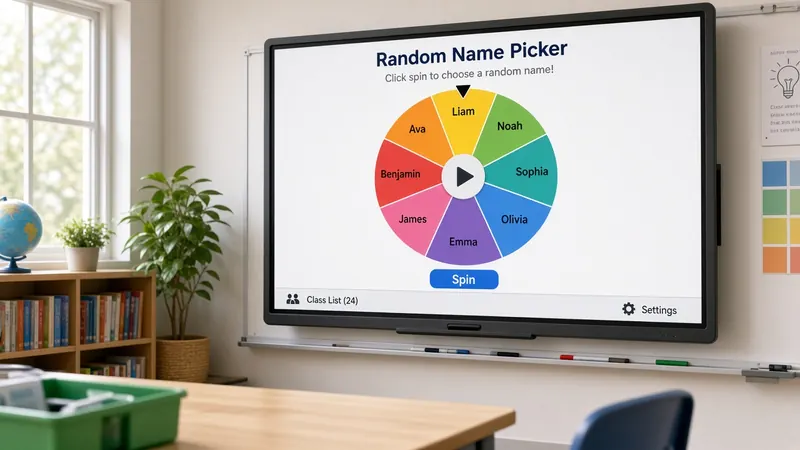
Free Random Name Picker for Classroom
Fair student selection in seconds. No more favorites, no more forgotten faces — just random picks your class can watch and trust.
Try the name picker
Stop accidentally calling on the same students
Most teachers have a mental shortlist — the kids who make eye contact, the ones who always have an answer ready, the quiet ones you forget until report card comments remind you. That is normal. You are managing thirty things at once. But over a semester, uneven calling patterns add up. Some students get dozens of chances to think aloud. Others get two.
A random name picker takes the guesswork out of participation. You enter your roster once. Every pick gives each remaining name an equal shot. The tool has no memory of who raised a hand, who sits up front, or who answered five minutes ago — unless you want it to, which brings us to remove-after-selection mode.
I keep the picker projected during whole-class discussions. When a question goes out, I hit Pick instead of scanning the room and hoping someone new speaks up. Students pay attention because the next name could be theirs. Even reluctant talkers tend to have something ready when the screen lands on them.
Fairness you can explain to parents and students
Kids notice patterns. "You always call on Marcus." Maybe you do not, but perception matters. A visible random pick ends the argument. Everyone saw the names flash. Everyone saw where it stopped. There is no hidden logic and no teacher bias in the moment — just a list and a random selection.
Remove-after-selection mode tracks who has already been called in the current session. Once a name is picked, it drops off until the list resets. That way you genuinely cycle through the whole class before anyone gets a second turn. I use this during review games and Socratic discussions where I want broad coverage in one period.
For quick checks — "who can define this vocabulary word?" — I leave remove-after off so the same student might get picked twice in ten minutes. That is still fair because each pick is independent. Choose the mode that matches what you are trying to accomplish that day.
Beyond cold calling
Participation is the obvious use, but teachers stretch the picker in other directions. Line order for lunch? Pick three names and those students lead the line. Choosing lab partners for a one-day activity? Two picks make a pair. Need someone to pass out papers without a dozen hands shooting up? One click.
Presentation days run smoother when order is decided before the first speaker starts. Write the sequence on the board or just pick live between presenters. Either way, "that's not fair, I wanted to go first" carries less weight when a projected tool made the call.
Pair the name picker with the group maker when you need teams instead of individuals. Name picker for "who shares out" after group work; group maker for building the teams in the first place. Both live on the same MyClassScreen board alongside your timer and traffic light.
Setting expectations so the picker helps, not hurts
Random selection works best with clear ground rules. I tell students they can pass once per week if they truly have nothing to add, but they still have to listen. Another teacher I know allows a "phone a friend" after a pass. Your policy is yours — the picker handles selection, you handle classroom culture.
Give think time before you pick. Count down from five after the name appears so nobody feels ambushed. For students with anxiety, knowing the system is random — not personal — often lowers the stress compared to being singled out by the teacher's eyes.
Save your rosters if you teach multiple sections. Monday morning becomes open board, load third period, pick. No copying from a gradebook printout while kids wait. Our name picker activities guide has more lesson ideas if you want inspiration beyond Q&A.
Tips that make the picker run smoothly
Use first names only if you have duplicates in the class — "Emma K." and "Emma R." saves confusion when the name appears on screen. Check spelling before the first pick so nobody feels singled out over a typo you made.
For subs, leave a saved board with the picker and roster ready. Write a one-line note: "Use the name picker for discussion questions." Even a guest teacher can run fair participation without knowing your students yet.
ELL and inclusion classrooms benefit from the same visible process as gen-ed rooms. Combine the picker with wait time and sentence stems on the board so the selected student has scaffolding when their name lands. Fair selection is step one; fair participation needs the rest of your routine too.
If a student is absent, delete their name for that day or pick again when an absent name comes up. Takes two seconds and keeps the list honest. Reset the full list when you start a fresh unit and want everyone back in the pool.
Ways to use the name picker
Cold Calling
Call on students who would never raise a hand. The picker does not know who answered last period.
Q&A Sessions
Pick who answers next so the same three volunteers do not dominate every discussion.
Role Assignment
Randomly assign line leader, door holder, paper passer, and other daily classroom jobs.
Presentation Order
Let the picker decide who goes first, second, and third. Complaints drop when the screen chooses.
How it works
- 1 Open MyClassScreen and add the Name Picker widget to your board.
- 2 Enter student names — one per line — or paste your roster from a spreadsheet.
- 3 Turn on remove-after-selection if you want full-class coverage before repeats.
- 4 Click Pick to run the selection animation on the projected screen.
- 5 Give a few seconds of think time after the name appears.
- 6 Pick again for the next question, or reset the list when everyone has had a turn.
Cold calling without favorites
Hand-raising rewards the bold. Walking the rows rewards whoever sits near you. A classroom name picker puts every roster name in the same pool. Students see the selection happen on the board, which cuts down on “you always pick her” complaints even when the result is inconvenient for them.
Use remove-after-pick during discussions so the same three voices cannot dominate. Reset the list next period. For group work, switch to the group maker instead of picking one name at a time. Pair either tool with a short timer so wait time stays tight.
Save separate boards for Period 1 and Period 4 if your rosters differ. That beats retyping names every morning and keeps the picker ready when the bell rings.
Give every student a voice
Add the name picker to your classroom screen alongside a timer, noise meter, and traffic light.
Start Using the Name Picker