Free Tool

Free Live Polling Tool for Classroom

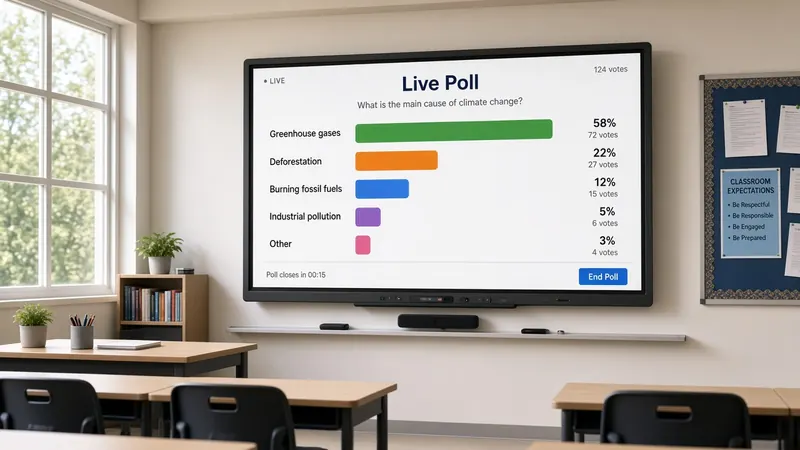
Engage students instantly with live polls. Check understanding, vote on reward activities, and graph responses in real-time.

Favorite Season?

Fall 🍂40%
Winter ❄️20%
Spring 🌸10%
Summer ☀️30%
Start a Poll Free

Formative checks without a device parade

Digital polling tools are powerful until you spend eight minutes getting thirty kids logged in with a join code. By then your exit ticket window is gone and the lesson momentum you wanted to measure has already left the room.

MyClassScreen's live poll widget is built for projection-first classrooms. You ask the question. Students respond with a show of hands, colored cards, sticky notes sorted into piles, or a quick turn-and-talk consensus. You tap each choice on the board and watch bars grow in real time. Everyone sees the same graph. No student accounts. No second screen to monitor.

That makes it a natural fit for formative assessment—the quick pulse that tells you whether to reteach tomorrow or move on. You are not grading a survey; you are reading the room before the bell.

Exit tickets you can actually finish

The last five minutes disappear fast. Project a single question with three or four options: "What was clearest today?" or "Which step still feels shaky?" Students vote physically while you record taps on the widget. If most of the class lands on option C, you know where warm-up time goes tomorrow.

Pair verbal exit tickets with the poll when you want numbers without paper stacks. Ask for a one-word summary, group similar answers into choices you type on the fly, then tally who raised a hand for each bucket. It is messy data science in the best way—students see aggregation happen live.

Need a digital paper trail? Follow with a QR code to a Google Form for students who do want to type longer responses. Use the poll for the quick class snapshot, the form for individual detail.

Mid-lesson checks and community votes

Pause after a demo: "Which example matches the definition?" Run the poll before you reveal the answer. Misconceptions surface while they are still fixable. Toggle percentage view when you want students to estimate proportions before comparing to actual votes.

Community decisions benefit too—Friday reward, book club title, field trip reflection topic. Letting students see votes accumulate builds buy-in without endless debate. Reset counts between classes so second period starts clean.

Morning check-ins with emoji choices or simple mood scales give counselors and homeroom teachers a temperature read without a lengthy journal prompt. Keep questions short; the graph is the conversation starter.

Teaching data literacy on the board

Elementary classes can count votes aloud while you tap. Middle schoolers compare raw counts versus percentages when class sizes differ between sections. The poll becomes a mini lesson in representation—not a separate unit, just five minutes embedded in science or social studies.

Save recurring questions on a free account layout: Monday preview, Wednesday check, Friday reflection. Place the widget beside a name picker when you want volunteers to explain why they chose an option after the bars settle.

Science labs use polls for hypothesis guesses before an demo—"Will the balloon inflate?" with yes/no/maybe columns. Social studies classes vote on which primary source to examine first. Reading workshops poll favorite interpretations of a character's motive. The pattern is identical: question, visible choices, tap counts, discuss the graph.

Building a formative routine students recognize

Routines beat novelty. Use the same three-option scale every Friday—"Got it / Almost / Need help"—and students learn to self-sort honestly when they see the poll widget appear. You gain a trend line over weeks without new apps each time.

Pair results with your drawing board when a misconception wins the vote: sketch the correct model immediately while attention is high. Follow with a two-minute timer for paired correction practice.

From show of hands to action plans

A poll is only useful if it changes what happens next. When half the class picks "confused" on an exit ticket, note it on your plan sheet immediately while the graph still glows on the board. Students see you respond to data, not ignore it.

Invite a student who chose the minority option to explain their reasoning—projected polls spark dialogue when you treat every bar as a conversation starter, not a grade. Name the text widget tomorrow with "We are revisiting step two based on yesterday's poll" so continuity is obvious.

Sped and multilingual learners benefit when choices include simple words and you read each option aloud before tallying. Keep option text short enough to fit the widget without shrinking fonts.

Photograph the final bar chart for your teacher notebook if you want a paper trail—quick phone snapshot while students line up captures the data without exporting files.

Ask students to predict the graph before you tally—"Which bar will be tallest?"—then compare predictions to results for a thirty-second statistics habit embedded in every poll.

Department teams can share saved poll wording for common pre-assessments—solving equations, thesis statements, lab safety rules—so vertical alignment shows up in daily practice, not only on benchmark days.

When every student already has a Chromebook one-to-one, dedicated apps still shine. When devices are shared, dead, or banned for the period, a projected poll keeps formative rhythm alive. You stay at the board, eyes on the class, bars climbing where everyone can see them.

Popular ways to use classroom polls

Formative Assessments

Do a quick checking-for-understanding poll at the end of a lesson to see who got it and who needs support.

Democratic Voting

Let students vote on rewards (e.g. choice of game, story, or brain break activity) to build a collaborative classroom culture.

Opinion Gathering

Prompt structured discussions by asking students to vote on debate topics or reading preferences.

Social-Emotional Check-ins

Run emoji feelings check-ins in the morning to see how students are feeling as they start the day.

How to create a live poll

  1. 1 Open MyClassScreen and drag the Poll widget onto your digital board.
  2. 2 Click the widget settings gear to enter your question and customized options.
  3. 3 Choose whether to display the results as raw vote counts or percentages.
  4. 4 Gather responses from your students (e.g. show of hands or digital ballots).
  5. 5 Click directly on the corresponding choices in the widget to record votes. The bar graph updates in real-time.

Build your interactive class screen

Keep your poll widget next to a name picker, countdown timer, and classroom noise level meter for total structure.

Start Polling Free

Try More Free Classroom Tools:

Frequently Asked Questions

Yes. Create unlimited poll questions and choices at no cost—no ads or subscription tier.