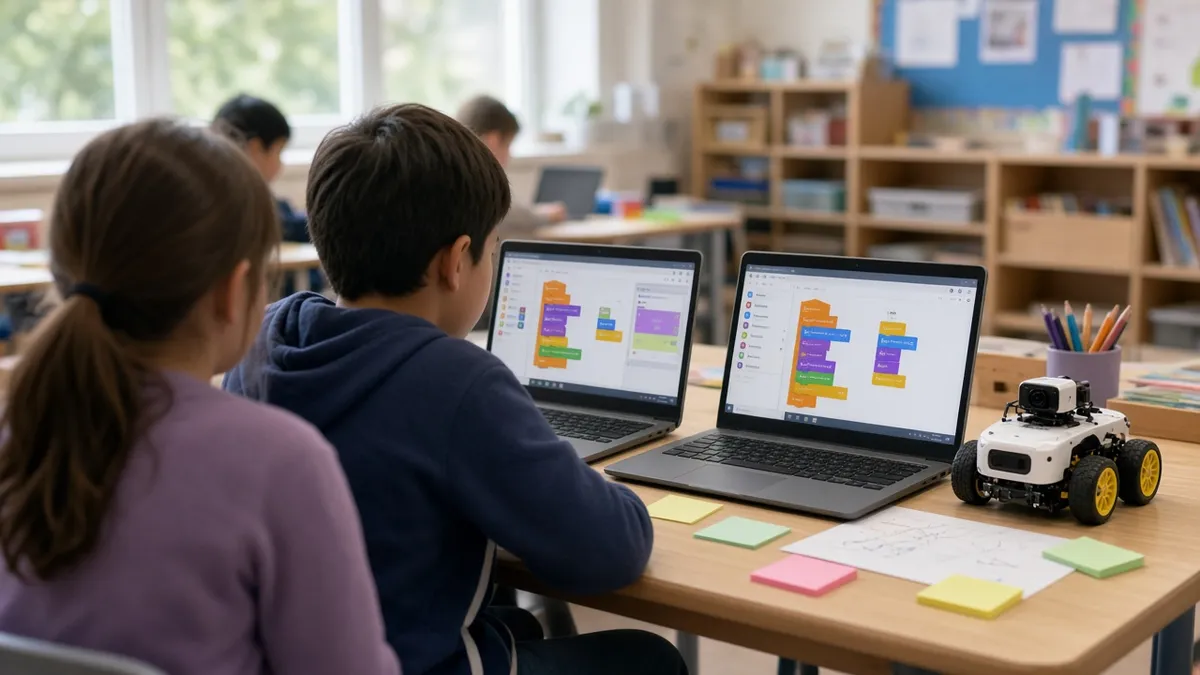
The Hour of AI is the new name for the Hour of Code: a one-hour, beginner-friendly computer science activity that classes around the world run during Computer Science Education Week, December 7-13, 2026. You do not need a tech background. Pick one activity from the official catalog (many are unplugged or work on one projected screen), plan a 60-minute block with a short hook, a guided activity and a reflection, and run it with a visible timer. This guide gives you activity ideas by grade, a ready lesson plan and setup tips for classrooms with few devices.
Everything below works on an interactive board. Keep the free classroom timer, group maker and random name picker open in tabs and you have the whole session covered.
What changed: from Hour of Code to the Hour of AI
For more than a decade, the Hour of Code introduced millions of students to programming each December. The organizers now describe the Hour of AI as an evolution of that event, adding foundational AI literacy (what AI is, how it learns from data and where it gets things wrong) alongside classic coding. Their FAQ is clear that the most popular Hour of Code activities are not going away, so the block-coding puzzles your students know still count.
Key facts from the official Hour of AI FAQ:
- Activities are available year-round, with the big push during CSEdWeek in December.
- The catalog has 100+ activities, from music and dance to games and pop culture.
- Activities work for pre-readers through adults.
- You do not need a computer for every student: there are unplugged activities, and pair work or a single projected screen is fine.
- Videos have captions, so activities work with or without sound.
When is CSEdWeek 2026?
Computer Science Education Week runs Monday, December 7 to Sunday, December 13, 2026. It is held in early December in honor of computing pioneer Grace Hopper, born December 9, 1906. Many schools run their session on one day that week; others spread small activities over several days. Because the activities are year-round, you can also run yours the week before if December is packed.
Choosing an activity by grade
| Grade band | Good fit | Devices |
|---|---|---|
| K-1 | unplugged sorting and pattern games, a projected class puzzle | none or one board |
| 2-3 | block-coding puzzles with characters, simple AI "teach the computer" sorting games | pairs |
| 4-5 | game design with blocks, training a simple image or sound classifier | pairs or 1:1 |
| 6-8 | dance or music coding, data and bias discussions, building a small app | 1:1 or pairs |
Browse the official catalog and filter by grade, device and "unplugged." Preview the activity yourself for ten minutes before the day; it is the best predictor of a smooth hour.
Unplugged activities (no devices needed)
These build the same thinking without a single login:
- Robot directions. One student is the "robot," another writes step-by-step directions to reach a target in the room. Bugs (wrong turns) are part of the fun.
- Sort like a machine. Give groups picture cards (fruits, animals, shapes). They invent a rule to sort them, then test whether another group's cards follow it. This is how classification works.
- Spot the pattern. Show a sequence on the board and have students predict the next item, then talk about how computers predict from patterns.
- Training data teaser. Show only pictures of red apples and ask "Would a computer that learned from these recognize a green apple?" A two-minute talk on why data matters.
- Binary bracelets. Students spell their initials in binary with two colors of beads or marker dots.
A ready 60-minute plan
| Time | Segment | On screen |
|---|---|---|
| 0-5 min | Hook: "Where did you see a computer make a decision today?" | question slide, timer |
| 5-10 min | Short intro video from the chosen activity | video with captions |
| 10-15 min | Pair up and set norms | group maker |
| 15-45 min | Main activity in pairs (driver and navigator swap every 7 minutes) | timer on loop |
| 45-55 min | Share: two pairs show what they made | name picker |
| 55-60 min | Reflection: one thing AI or code can do, one thing it cannot | exit ticket |
Pair programming (two students, one device, swapping roles) is recommended in the official guidance when devices are limited, and it keeps everyone talking.
Setup checklist (do this the week before)
- Choose one activity and one backup (an unplugged option in case Wi-Fi fails).
- Test it on the school network and on the actual student devices.
- Check whether students need accounts. Many activities run without one.
- Bookmark the activity on every device or post a QR code; our QR code ideas post shows how.
- Print a few completion certificates if the activity offers them.
- Invite a volunteer. The Hour of AI site has a volunteer guide, and local professionals often join a class virtually.
Running the hour smoothly
- Keep the timer visible. Role swaps and segment changes happen on time, and you can circulate instead of watching the clock.
- Use "ask three before me." Students ask two classmates before raising a hand.
- Celebrate bugs. Say "Great, we found a bug" when something breaks. Debugging is the skill.
- Have an early-finisher extension: most activities include a free-play or "make your own" level at the end.
- Use calm signals. A traffic light helps you switch between partner talk and full-class attention.
If you only have one screen
A single interactive board is enough for a strong session. Run the activity as a class puzzle:
- Project the activity and read the goal aloud.
- Use the random name picker to choose a "driver" who comes to the board for one step.
- The class acts as navigators: they discuss in pairs for 30 seconds, then vote on the next block or move.
- Rotate drivers every two or three steps so many students get a turn.
- Pause after each level to ask "What would happen if we changed this?"
This format works especially well for K-2 and for classes with mixed reading levels, because the discussion carries the learning.
Making it accessible for every student
- Reading support: choose activities with audio or icon-based instructions for early and emerging readers, and turn captions on for videos.
- Multilingual learners: many catalog activities are translated; check the language menu and pair students who share a language.
- Motor needs: activities with large drag targets work better on tablets or touch boards than tiny laptop trackpads.
- Attention and stamina: split the hour into two 30-minute sessions and keep the timer visible so students know when a break is coming.
- Students who finish fast: let them help a peer or build their own level rather than racing ahead alone.
A short note for families
Sending a quick message home makes the event feel bigger and invites families to try it too. You can adapt this:
This week our class is joining Computer Science Education Week with the Hour of AI, a one-hour introduction to computer science and artificial intelligence. Students will solve puzzles, work in pairs and talk about how computers learn from examples. The activities are free and available year-round, so ask your child to show you what they made.
Keep it short and avoid promising a specific certificate or prize in case your activity does not include one.
Talking about AI with students
Keep it simple and honest:
- AI systems learn patterns from examples (data).
- If the examples are limited or unfair, the results can be wrong or unfair too.
- AI can be helpful, but people decide how to use it and should check its work.
- Students can be creators, not just users.
These four ideas fit any grade and connect naturally to the activity reflection.
Ideas to extend the week
- Day 2: an unplugged activity from the list above.
- Day 3: a career talk (live or video) with someone who uses computing at work.
- Day 4: students teach a younger class the activity they finished.
- Day 5: a short showcase on the board with a scoreboard for a friendly class quiz.
For more December planning, see our winter holiday classroom activities and no-prep brain breaks.