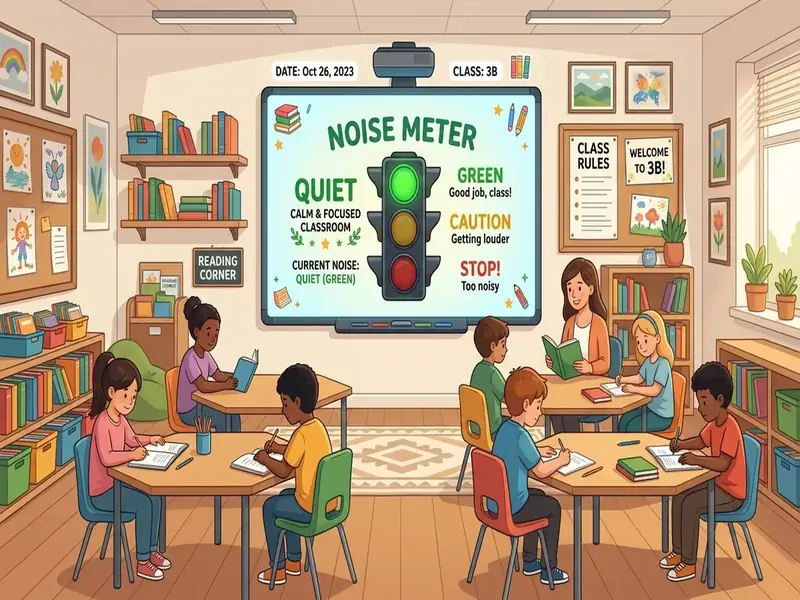
A quiet monitor recipe is a repeatable routine that combines a microphone, a visible noise meter, and expectations your students helped shape. Without the recipe, a sound meter is just a moving bar. With it, the bar becomes a shared reference point that lets students adjust their own volume while you keep teaching.
This article breaks the recipe into its parts: where the microphone goes, the seven ingredients, how to set different levels for different activities, how to turn quiet into a class goal, and what to do when the meter misbehaves. You can build every step on the free classroom screen with the noise meter and traffic light widgets.
What a quiet monitor recipe accomplishes
Most volume management relies on the teacher's voice: "Inside voices, please," repeated with growing impatience. A recipe replaces that loop with three things students can see and predict:
- A clear target. Everyone knows which voice level the current activity calls for.
- Live feedback. The bar shows how the room sounds right now, not how you feel about it.
- A consistent response. When the bar drifts toward red, the class knows what happens next, and it is the same every time.
The payoff is not silence for its own sake. The American Speech-Language-Hearing Association explains that background noise and reverberation make it harder for students to understand speech, pay attention, and concentrate, and that a loud room also strains teachers' voices. A recipe gives you a practical way to keep the room at a level where talk is productive.
Set up the microphone first
Every recipe starts with hardware. The noise meter uses whatever microphone your device provides, so placement matters more than price.
Choose the microphone
A built-in laptop microphone is enough for most rooms. Its weakness is that it hears whatever is closest: the laptop fan, your typing, the projector hum. If you have a simple USB or webcam microphone, it gives you more control over where the listening point sits.
Place it in the middle of the room
Put the laptop or external mic where it hears the whole class, not just the front row. A microphone right beside the teacher desk mostly measures you. A microphone next to a noisy vent measures the vent. A central shelf or cart usually works best.
Tame the room
Room acoustics change what the meter hears. ASHA's suggestions for a quieter classroom include rugs, curtains, soft materials on walls, soft tips on chair and table legs, and turning off noisy equipment when you are not using it. Even one of those changes can make the meter calmer and more accurate to what students actually hear.
Allow microphone access
The first time you add the noise meter, the browser asks for microphone permission. Click Allow. MyClassScreen processes the signal locally in the browser to move the bar; audio is not recorded, uploaded, or stored. If you clicked Block by mistake, open the site settings in your browser and change the microphone permission for myclassscreen.org.
The 7 core ingredients of an effective quiet monitor recipe
1. A baseline check
With students seated and silent, watch the bar for about thirty seconds. That shows you how much the room itself contributes: heating, hallway traffic, the projector. If the bar is already high in silence, lower the sensitivity or move the microphone before you do anything else.
2. Gradual visual feedback
The meter moves through green, yellow, and red rather than flipping between quiet and loud. That gradient gives students a warning zone. Teach them that yellow means "adjust now" so red becomes rare.
3. Sensitivity matched to the activity
Use the Move the microphone closer to or farther from the class, or lower the computer's input level in system settings. For partner work, ask students to talk at the level you want and move the slider until the bar rests in green. For silent work, raise the sensitivity so even a murmur shows up.
4. A buffer for brief sounds
A dropped book or a sneeze will spike any meter. Build a buffer into your rules: a brief spike is not a problem, but a bar that stays in red for several seconds is. Say this explicitly so students do not panic at a single noise.
5. Rules students helped write
Ask the class what each voice level sounds like and when each one fits. Write their language into a text box on the board, for example "Level 1: whisper so only your partner hears." Students defend rules they helped write.
6. Positive reinforcement with a timer
Pair the meter with a countdown and set a class goal: keep the bar out of red until the timer ends. Celebrate success as a group. Reward the room, never single out the loudest table.
7. Regular recalibration
Rooms change. Seating moves, heating turns on, the season changes what is outside the window. Check the baseline weekly, whenever you move furniture, and whenever the meter starts reacting to things it did not react to before.
Different settings for group work and independent study
One setting cannot cover a whole day. Collaborative work needs conversation; a quiz needs near silence. Plan a small set of modes and switch between them visibly.
| Activity | Traffic light | Meter setting | What students hear |
|---|---|---|---|
| Silent reading or tests | Red | High sensitivity | Pages turning, pencils |
| Independent practice with quiet questions | Yellow | Medium-high sensitivity | Occasional whispers |
| Partner talk | Yellow or green | Medium sensitivity | Two voices at each desk |
| Group labs and projects | Green | Lower sensitivity | Table talk, no shouting across the room |
Announce each change out loud and change the traffic light at the same moment. That habit tells students the new target before anyone speaks, and it keeps the meter feeling fair rather than arbitrary.
Turn quiet into a class goal
Gamifying volume works when the class wins or loses together. A few formats that suit different ages:
- Green streak. Start a timer when partner work begins. If the bar stays out of red until it ends, the class earns a point on the classroom scoreboard. A set number of points unlocks a short choice activity on Friday.
- Beat yesterday. Record how many minutes the class held green during work time and challenge them to match it tomorrow.
- Quiet captain. Rotate a student role that watches the meter and gives a silent hand signal when the bar turns yellow. Choose the captain with the name picker so the job is shared.
With older students, drop the prizes and talk about data. Ask a class to look at the meter during a lab and discuss which parts of the task got loud and why. Treat the meter as neutral information about the room, not as a verdict.
Troubleshooting false alarms
When the meter reacts to things students are not doing, trust in the routine drops. Most false alarms have a simple cause.
The bar jumps with every small sound
Sensitivity is too high for the activity, or the microphone sits too close to a desk. Lower the slider a little and move the mic away from surfaces students tap and bump.
The bar never moves
The browser may have blocked the microphone, another app may be using it, or the wrong input device is selected. Check the site permission, close video-call apps, and pick the correct microphone in your system sound settings.
The baseline changes from one day to the next
System updates, a different laptop, or a new seating plan can all shift the baseline. A thirty-second morning sound check solves this. Our troubleshooting help page lists more fixes for permissions and projection.
The projector or heating system triggers the meter
Point the microphone away from the fan or vent, or move the laptop to a quieter spot. If the equipment is unavoidable, lower sensitivity slightly and redo your baseline.
Combine the meter with a traffic light
The noise meter shows what is happening. The traffic light widget shows what should be happening. Together they answer the two questions students have: "How loud can we be?" and "How loud are we?"
Place them side by side on the board, the light slightly higher so it reads as the rule and the meter as the measurement. English learners and students who process visual information more easily than spoken reminders benefit from seeing both a color and a moving bar. Over time, students start checking the pair on their own, especially when an activity changes.
Keep the recipe working all year
A quiet monitor is not a one-week novelty. It lasts when students feel ownership and the rules stay stable.
- Review the rules each quarter. Ask whether the levels still feel fair and whether any activity needs a new setting.
- Keep the language consistent. If "Level 2" means partner voice in September, it should still mean that in May.
- Retire rewards gradually. As the routine becomes automatic, reduce the prize and keep the recognition.
- Model it yourself. Lower your own voice when the bar climbs. Students notice when the teacher follows the same rules.
The long-term goal is self-regulation: students who notice the volume of a room and adjust without being told, with or without a meter on the wall.
For more routines built on the same widget, see our guide to quiet monitor ideas and noise meter strategies.